

Cybersecurity
Sirens Woke a Sleeping Town for Nothing

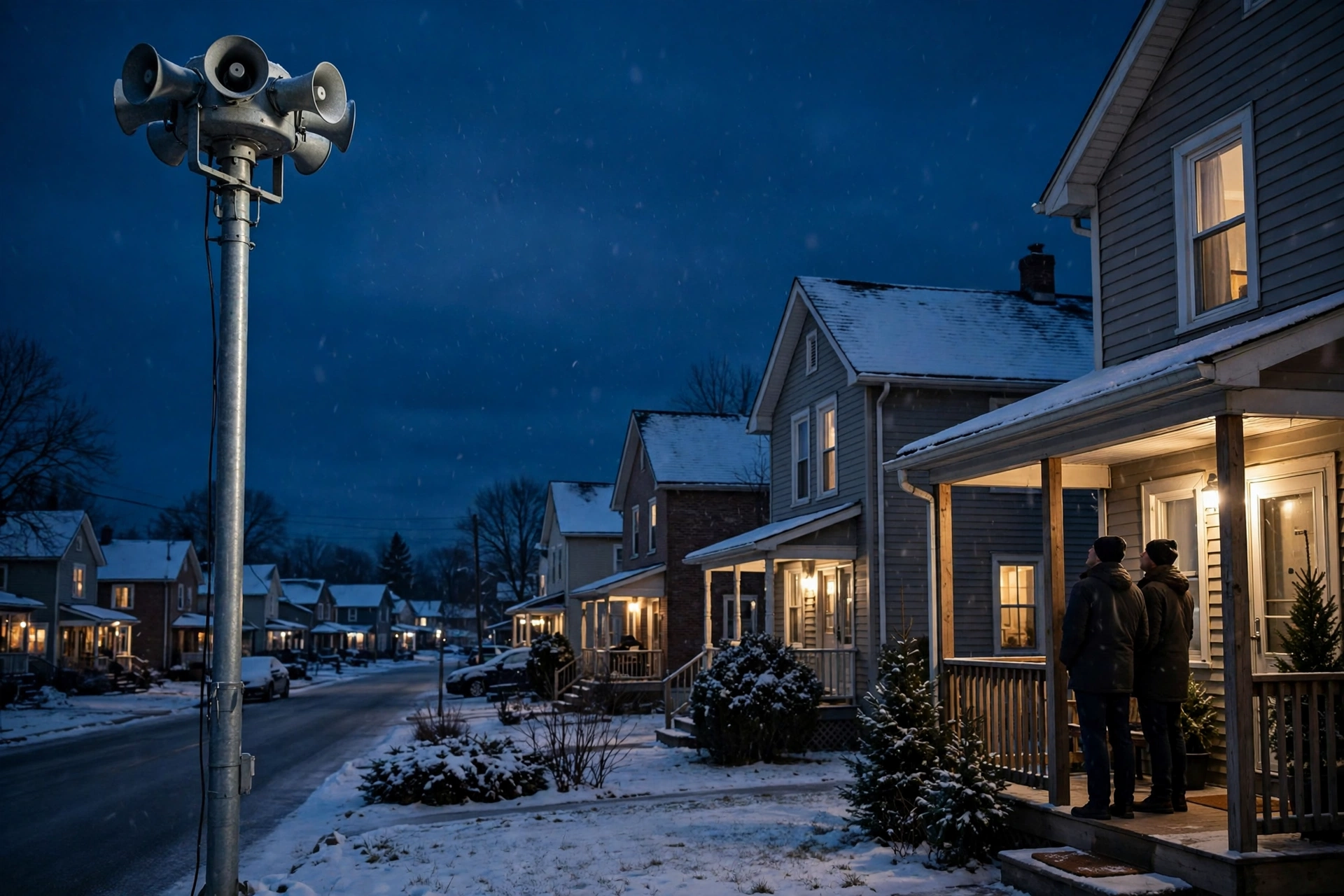
ROWANFIELD, Ont. — November 16, 2026 — Rowanfield’s sirens are meant to sound for one reason only: a tornado. On a clear, still night with no storm anywhere near the town, they sounded anyway — all nine of them, at 3:17 a.m., for eleven minutes.
Margaret Ellison, 71, a retired teacher who lives two streets from the fire hall, was awake before the second siren finished. “I have lived in this town for forty years and I have heard those sirens twice, both times for real weather,” she said. “This time there was no wind, no rain, nothing. Just the sirens, and then every light on my street coming on at once.”
Rowanfield is a fictional Ontario town of about 16,000 people, and its outdoor warning sirens are the town’s last-resort alert — the sound that tells everyone to take cover. On Sunday morning, the system that controls them was reached from outside the town, and someone switched them on.
Nobody in Rowanfield was in danger from the weather. The danger was the warning itself.
The town’s dispatch centre took 214 calls in forty minutes. Some residents drove toward the highway, looking for higher ground. Two cars collided at low speed at an intersection where the lights were still on their overnight cycle. An 82-year-old man fell rushing down his stairs in the dark and was taken to hospital with a broken wrist. At the fire hall, crews who should have been resting for the morning shift were suiting up for a tornado that did not exist.
“We had firefighters standing in the bay, looking at a clear sky, while the sirens told the whole town to take cover,” said Fire Chief Warren Doyle. “The sirens did exactly what they were told to do. The problem was who was doing the telling.”
The town says the sirens are run from a control panel installed by the fictional company that maintains them — a web page, reachable from anywhere on the internet, protected by the password the system shipped with. Once inside, turning the sirens on took a single click. The town says it has found no demand for money and no data taken. The sirens were the target.
The warning system was not broken. It was doing what it was built to do — taking orders from anyone who knew where to find it.
Town emergency coordinator Sandra Kline says the panel has been switched off, and the sirens can now only be sounded with a physical key at the fire hall, the way they were before the remote system arrived. “We bought the remote panel so one person could test the sirens from a desk instead of driving to nine poles,” she said. “We never asked who else could reach that desk. That was the mistake.”
“People think of a siren as a piece of metal on a pole,” said Dr. Colin Ashworth, a fictional researcher who studies how towns run their emergency warning systems. “But a siren is a voice the whole town obeys without thinking. When that voice says run, people run — in the dark, in their cars, down their stairs. Whoever controls the voice controls the town’s morning. Rowanfield found out at 3:17 a.m. that the voice had been left where anyone could pick it up.”
In this fictional case, the town says it is reviewing every other system the same vendor can reach, and it will not put the remote panel back until the login is changed, a second check is added, and the panel can only be reached from inside the town’s own network. The sirens are silent again. The town is not sure it will ever trust them the same way.
A warning system that anyone can trigger is not a warning system. It is a loudspeaker with the door left open.
Across Canada, small towns run sirens, flood gates, and emergency alerts on panels installed years ago and never looked at again — systems built to be convenient, not to be defended. When one of them takes orders from the wrong person, the consequences arrive at 3:17 in the morning, in the dark, at full volume.
Lessons Learnt
- Ask what your town’s warning systems depend on. If a siren, an alert, or a flood gate can be switched on from a web page, your leaders should know that — and know who else can reach that page.
- Test the off switch, not just the on switch. Run a drill for a false alarm, not only for a real one. Know who can silence the system, how fast, and what happens while it is sounding.
- Treat a vendor’s default password as your problem. A password that shipped with the equipment is not a secret. Change it, add a second login check, and limit the system so it only works from inside your own network.
- Plan for the morning after a false alarm. Decide in advance what you will tell residents, how you will reach them, and who speaks first — before the sirens, not after them.
The fictional town says the sirens are back under the fire hall’s control, and the investigation into the panel continues. Rowanfield went back to sleep eventually — but on Sunday morning, nobody in town was quite sure what would wake them next.
Watching the perimeter — and what slips past it.
ODTN News note: ODTN.News is a fictional news platform set within the Operation: Defend the North universe. All names, organizations, quotes, and events in this article are entirely fictitious. Any resemblance to real people, companies, or incidents is purely coincidental. The cybersecurity challenges it represents are very real.









TAMARACK FALLS, Ont. — November 13, 2026 — At 3:12 a.m., the phone at the Tamarack Falls air base rang for a patient who needed to fly, and nobody could answer it properly. The dispatcher on duty could see the caller’s number on the screen. She could not see the patient’s details, the crew roster, or which helicopter was ready to go. Every one of those screens had gone black an hour earlier, and the words on the last one still lit were the ones nobody at the base had ever expected to read.
The screens were locked. The helicopters were not allowed to fly.
Tamarack Air Rescue is a fictional air ambulance service covering the remote communities north of Tamarack Falls, a fictional town of about 9,000 people in northern Ontario. When the roads are long and the weather is bad, its helicopters are the only fast way to get a seriously ill patient to a hospital. On Wednesday night, a 68-year-old woman in the fictional community of Alder Creek, two hours by road from the nearest hospital, needed an urgent transfer after a suspected stroke. The helicopter never left the ground.
One phishing email grounded the helicopters — and a patient who needed to fly waited on the ground instead.
The service says the trouble started with an email sent to the dispatch desk late on Tuesday afternoon. It looked like a routine message from the fictional company that maintains the base’s radios, asking a dispatcher to open an attached work order. She did. Within the hour, the ransomware hidden inside it had spread from the office computers to the dispatch system itself, locking the crew schedules, the patient records, and the flight-planning software behind a demand for payment.
“We train our crews for engine failures and whiteouts. We did not train them for this,” said Mara Ellison, the fictional service’s operations manager. “The helicopters were fine. The pilots were ready. The fuel was in the tanks. But we could not prove to ourselves, on paper, who was fit to fly, which aircraft had been checked, or where the patient was. You do not send a helicopter into the dark on a guess. So we stayed on the ground, and a woman who needed us waited for a road ambulance instead.”
The patient was eventually taken by road to a hospital in the fictional city of Port Marrow, arriving more than four hours after the first call. The hospital says she is stable and recovering. The service says no patient records were published and no ransom was paid. Its dispatch system stayed offline through the night while its fictional IT contractor rebuilt it from backups, and flights resumed on Thursday morning.
The aircraft were ready to fly. The system that says who flies, and where, was not.
The attack did not touch a single helicopter. It did not need to. An air ambulance is not just an aircraft — it is a chain of small decisions made quickly: which crew is rested, which aircraft is fuelled, which hospital has a bed, which patient goes first. Lock the screens that hold those decisions and the helicopters become expensive ornaments on a helipad, no matter how good the weather is.
“People picture a cyberattack on a hospital as someone stealing records,” said Dr. Lena Voss, a fictional health-systems cybersecurity researcher who studies attacks on emergency services. “But the attacks that hurt patients most are the ones that simply stop the service from working. A locked dispatch screen is a grounded helicopter. A frozen roster is a crew that cannot legally fly. The harm is not a data breach. It is time — and in emergency medicine, time is the one thing you cannot get back.”
In this fictional case, the service says the phishing email reached the dispatch desk because the base’s email filters had not been updated in months, and the dispatch computers shared the same network as the office email. The ransomware moved from one to the other in under an hour. The service says it will now separate the dispatch system from office email entirely, and keep a paper copy of the crew roster and aircraft checks at the base at all times.
The defence is not a sharper eye for suspicious emails. It is making sure one click cannot ground the whole service.
That advice applies well beyond one air base. Across Canada, small emergency services, clinics, and rural hospitals all run their critical work on the same networks as their office email, often with a handful of staff and no full-time IT team. When one of those networks goes down, the service it supports goes down with it — and the people waiting for help are the ones who pay for it.
Lessons Learnt
- Keep dispatch systems off the office email network. If the computers that plan flights share a network with email, one bad attachment can lock both. Separate them so an email problem stays an email problem.
- Update the email filter, and test it. A filter that has not been updated in months will miss new phishing emails. Check it regularly, and send your own test phishing emails to see who clicks.
- Keep a paper backup of the essentials. A printed crew roster, aircraft checks, and hospital contacts let a base keep flying while the computers are down. Update it every shift.
- Practise the offline plan. Run a drill where the dispatch screens are off and the team works from paper. If the first time you try it is during a real attack, it will be too slow.
The fictional service says its helicopters are flying again, and the patient from Alder Creek is recovering in hospital. The base is back to full service. The night it spent on the ground is the part it cannot take back.
Watching the perimeter — and what slips past it.
ODTN News note: ODTN.News is a fictional news platform set within the Operation: Defend the North universe. All names, organizations, quotes, and events in this article are entirely fictitious. Any resemblance to real people, companies, or incidents is purely coincidental. The cybersecurity challenges it represents are very real.
Cybersecurity
Colonial Pipeline Wasn’t Just a Ransomware Story. It Was a Warning for Every Pipeline Operator.
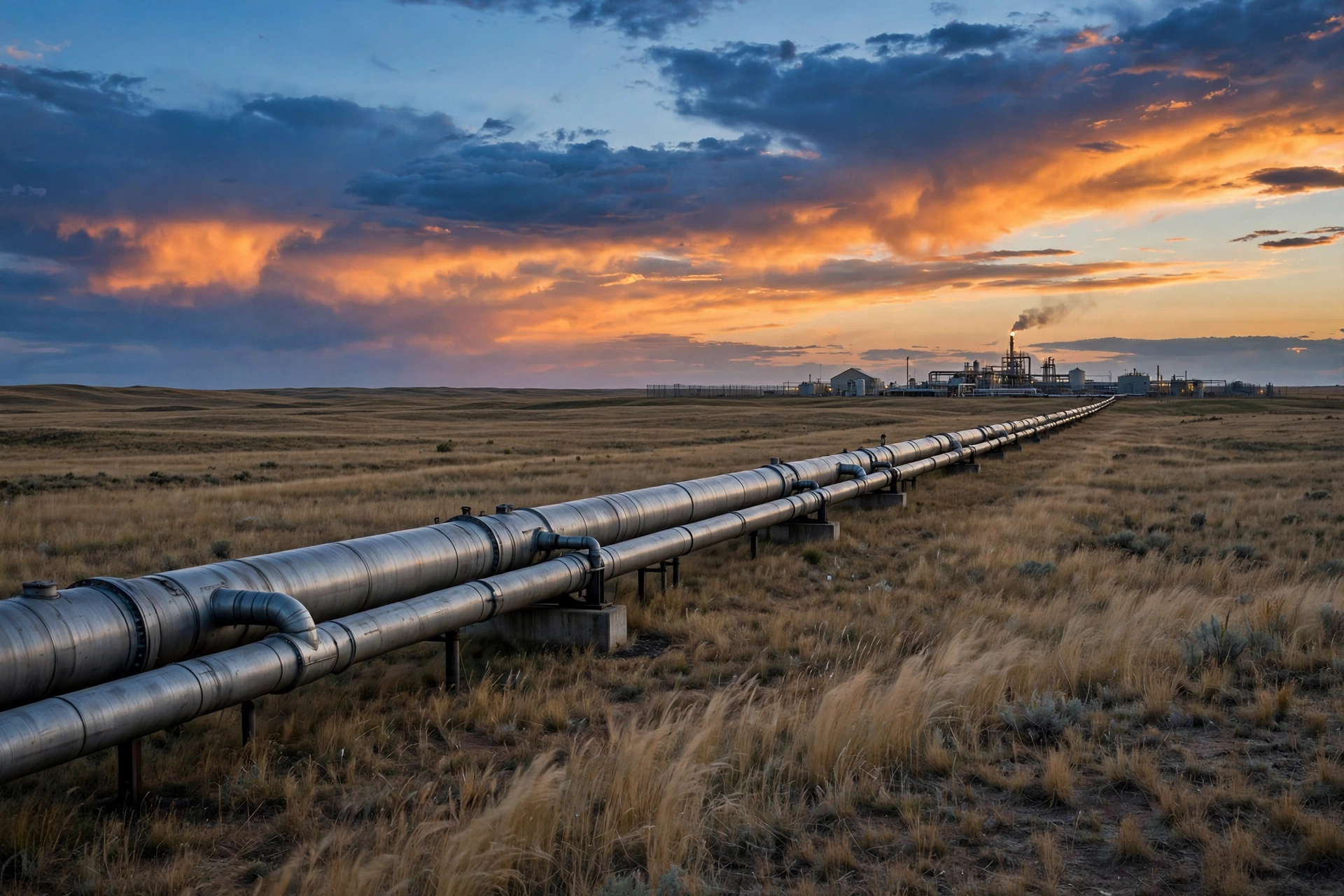
In May 2021, a single compromised password shut down the largest fuel pipeline in the United States.
Colonial Pipeline carries refined fuel across 5,500 miles from Texas to New York, supplying roughly 45 percent of the fuel consumed on the U.S. East Coast. On May 7, 2021, the company discovered it had been hit by ransomware from the DarkSide group. Within hours, Colonial took its pipeline offline — not because the attackers had reached the pipeline’s operational controls, but because the company could no longer trust the systems that billed for, scheduled, and managed the fuel moving through it.
The pipeline stayed down for six days. Gas stations ran dry. Airlines rerouted. Panic buying spread across the Southeast. The U.S. government declared a regional emergency. Colonial paid a $4.4 million ransom in Bitcoin — part of which the FBI later recovered — and spent weeks rebuilding systems and restoring confidence.
The attackers never needed to touch a valve, a pump, or a pressure sensor. They only needed to hit the business systems around them, and the pipeline stopped anyway.
That is the lesson that matters most for Canada, and for Alberta in particular.
Threat actors are looking at critical infrastructure — and pipelines are the leverage
Pipelines, power grids, water systems, and oil sands operations are not targeted because they are easy. They are targeted because they are essential. A shutdown does not need to cause physical damage to cause national disruption. It only needs to stop the flow — of fuel, of power, of water — for long enough that the public, the markets, and governments feel it.
That leverage is exactly what ransomware groups and state-linked actors are looking for. In recent years, security researchers and government agencies have warned repeatedly that operational technology (OT) — the systems that run physical processes — is now firmly in scope for attackers who once focused only on IT networks. The boundary between IT and OT, long treated as a wall, has become a bridge: remote monitoring, cloud dashboards, vendor access, and connected sensors have all made operations more efficient, and more exposed.
Colonial is the case study because it proved the point without a single OT breach. The next attack may not be so restrained.
What Colonial actually got wrong
The Colonial attack did not start with a sophisticated exploit. Investigators later found the entry point was a legacy virtual private network (VPN) account whose password had leaked, with no multi-factor authentication in place. One credential, one missing control, and the attackers were inside the network.
From there, the lessons are familiar — which is precisely why they are worth repeating:
1. A single credential should never be enough. Multi-factor authentication on every remote access point, especially VPNs and vendor accounts, is not a best practice anymore. It is the baseline. Colonial’s missing MFA turned a leaked password into a company-wide crisis.
2. IT and OT must be segmented — and that segmentation must be tested. Colonial shut its OT systems down as a precaution because it could not be certain the infection had not spread. Operators who cannot prove their OT environment is isolated from their IT environment will face the same choice: shut down, or gamble.
3. Manual operations are a capability, not a fallback. When digital systems go down, can a pipeline still run safely by hand? Can staff operate valves, monitor pressure, and track product without the software they rely on every day? If that has never been practiced, the answer is no — and the shutdown lasts longer.
4. The decision to shut down is the hardest decision, and it must be made in advance. Colonial’s leadership had hours to decide whether to halt a pipeline that supplied millions of people. That decision should not be improvised in a crisis. It should be rehearsed, with clear authority, clear triggers, and a clear understanding of what “safe shutdown” actually means.
5. Paying the ransom does not solve the problem. Colonial paid, and still spent weeks recovering. Ransomware payment is a business decision with legal, ethical, and operational consequences — and it guarantees nothing about decryption, data deletion, or whether the same group will return.
The warning for Canadian operators
Canada’s energy infrastructure faces the same pressures: aging OT systems, connected operations, third-party vendors with remote access, and a workforce stretched between keeping systems running and keeping them secure.
The warning is not that a Colonial-style attack will happen here tomorrow. It is that the conditions that made Colonial possible — a leaked credential, a flat network, an untested shutdown plan — exist in operations across the country right now.
Threat actors do not need to understand pipeline engineering to shut a pipeline down. They need to understand where the business systems end and the operational systems begin — and where the two are still connected.
What to do before the next one
For pipeline operators, utilities, and the teams that defend them, the work is unglamorous and urgent:
- Enforce multi-factor authentication on every remote and vendor account, with no legacy exceptions.
- Map and segment IT from OT, and prove the segmentation works — don’t assume it.
- Practice manual operations and safe shutdowns, so a digital outage does not become a physical crisis.
- Rehearse the shutdown decision in a tabletop exercise, with the people who would actually have to make it in the room.
- Treat third-party and vendor access as a front door, with monitoring, time limits, and revocation plans.
None of this is new. All of it is still unfinished in too many operations.
Why this matters now
That is the scenario at the heart of Operation: Defend the North in Calgary on Friday, November 13, 2026, at Bow Valley College — a hands-on War Room Simulation where leaders face a crisis in real time and have to make the decisions Colonial’s leaders faced, under pressure, with incomplete information.
The point of the exercise is not to relive 2021. It is to make sure the next time a pipeline operator in Canada faces that choice, the decision has already been made, the manual procedures have already been practiced, and the shutdown — if it has to happen — is controlled, safe, and short.
Colonial Pipeline was a warning. Five years on, the question is not whether threat actors are still looking at critical infrastructure. They are. The question is whether operators have learned the lessons fast enough.
Operation: Defend the North 2026 — Calgary, Friday, November 13, 2026, 9:00 AM–5:00 PM, Bow Valley College, 345 6 Ave SE, Calgary. https://siberx.org/event/operation-defend-the-north-2026-calgary/

CEDAR HOLLOW, Ont. — November 10, 2026 — The text arrived at 11:47 p.m., twelve hours before Maya Chen’s first final exam. It said her exam room had changed, and gave her a link to confirm the new one. Chen, a first-year student at Cedar Hollow University, tapped it, typed in her student login, and went to sleep. By morning, her password no longer worked — and neither did the logins of more than two hundred of her classmates.
The link did not lead to the university’s exam portal. It led to a copy, built to look like the real one down to the crest, the colours, and the “confirm your exam schedule” button. Students who signed in handed over their usernames and passwords. Within hours, the attackers had used those logins to change the passwords, locking the real owners out of their exam schedules, course pages, and student email — days before final exams begin.
More than two hundred students lost access to their exams in a single night — and none of them had clicked anything unusual.
The messages arrived as texts and emails, timed for the night before exam week, when students were already anxious and checking their phones late. Each one warned of a changed exam room or a schedule update, and each one linked to the copycat portal. The university says its real exam portal never sends schedule changes by text, and never asks students to log in from a link in a message. But at midnight before finals, few students stopped to check.
“I did what the message told me to do, because it told me to do it the way the university always does,” Chen said. “It had the exam schedule, it had my course code, it even had my professor’s name. I thought I was being responsible. Then I woke up locked out of everything.”
Cedar Hollow University says it has reset the affected accounts, restored access to exam schedules, and confirmed that no exam has been missed. But the university’s IT director, Priya Sandhu, said the lockout was the point — not a side effect. “The attackers didn’t want the passwords for their own sake,” Sandhu said. “They wanted the accounts. A student account opens the exam portal, the email, the library, the financial aid page. Lock the student out, and you hold everything they need for exam week.”
A student login is a master key — and this one opened every door the university has.
Student accounts are a soft target precisely because they unlock so much with a single sign-in. One username and password reaches the exam schedule, the grades, the email, and in many cases the financial aid and fee records. Students reuse those passwords elsewhere, share them with study groups, and rarely turn on multi-factor authentication. And during exam week, a message about a changed exam room arrives at the exact moment a student is least likely to question it.
“Attackers don’t need a sophisticated hack when the calendar does the work for them,” said Daniel Okafor, a fictional cybersecurity advisor who works with colleges on account security. “Exam week is the one week of the year when every student is expecting an urgent message from their university, and every one of them is too tired to check the sender. The portal didn’t have to be perfect. It only had to arrive at midnight.”
In this fictional case, the copycat portal stayed live for nine days before it was taken down. The university says it has since forced a password reset for all students, turned on multi-factor authentication for exam portal access, and is warning students to reach the portal only by typing the address themselves — never from a link in a text or an email. It has not said how many accounts were harvested in total, or whether any student’s financial information was reached.
The fictional students say they have since changed how they treat their university logins. Passwords are unique to the university account. Multi-factor authentication is on. And no exam message is ever trusted from a link — the schedule is checked by opening the portal directly, the same way every time.
The defence is not a sharper eye for fake portals. It is never logging in from a link at all.
That advice applies well beyond one campus. Across Canada, colleges and universities all run portals that hold a student’s exams, grades, email, and aid behind a single login — and a copycat needs only a well-timed message to stand beside the real thing. The defence is not a cleverer warning email. It is a habit of typing the address yourself, and of treating any login link in a message as untrusted until the university confirms it.
For students, the checklist is short: never log in from a link in a text or email, even one that looks like it came from your school; give your student account its own password and turn on multi-factor authentication; and if a message says your exam changed, check the portal by opening it yourself. For universities, it is equally simple: never send login links by text, publish the real portal address everywhere, and take copycat portals down the same day they appear.
The fictional students say the copycat portal has been taken down, and the real Cedar Hollow University exam portal is unchanged.
The passwords were never the students’. The accounts were never the attackers’. And the difference — one login, typed in directly instead of tapped from a message — was all it took.
Watching the perimeter — and what slips past it.
ODTN News note: ODTN.News is a fictional news platform set within the Operation: Defend the North universe. All names, organizations, quotes, and events in this article are entirely fictitious. Any resemblance to real people, companies, or incidents is purely coincidental. The cybersecurity challenges it represents are very real.


Nine Hundred Voters Vanished From the Rolls

Smart Locks Left Hundreds Outside in the Cold

Ghost Businesses Collected $2.3 Million in Loans

Reddit Thread Over ‘Inventory Drift’ Surges as Canadians Vent Over Retail Glitches

Are Canadian Companies Learning from Global Cyber Attacks? Insider Insights into the Secret Downfall of Canadian Businesses

Canadian Airline NorthSky Faces Cyberattack, Disrupting Online Services


-
 Cybersecurity3 weeks ago
Tourists Scanned. Strangers Collected.
-
 Cybersecurity3 weeks ago
Sudbury Boss’s Voice Calls From Another Phone
-

 Cybersecurity3 weeks ago
Winnipeg Distributor Loses Payment to Impostor Email
-
 Tech2 weeks ago
Smart Doorbells Streamed Porches to Strangers
-
 Cybersecurity3 weeks ago
Regina Pharmacy Shut Out of Its Own Prescriptions
-
 Cybersecurity3 weeks ago
Nova Scotia Town Goes Dark Overnight
-

 Business3 weeks ago
Winter Cargo Vanishes on Paper Trail
-

 Tech2 weeks ago
Kingston Drivers Charge Cars, Drain Accounts